
 View on GitHub ↗
Orwell
Watching your dev servers
A macOS tool that finds every local dev server you have running, shows what's up and what's down, and stops, restarts or starts them from Raycast or the browser.
Why
I always have a few dev servers running and I'm not an engineer. Forgotten ones eat my memory, and the terminal makes starting them again just heavy enough to stop me making things.
Finds everything
Node, Bun and Deno servers, Vite, Next.js, Nuxt, Astro and more, each with its favicon.
One click, no terminal
Stop, restart or start a server from a list, from Raycast or the browser.
Offline is a state
Every server it has seen stays listed when it stops, one click from running again.
Only safe commands
It runs a package script or npm run dev, never a raw shell command.
How it’s built
- First release
- 9 April 2026
- Interfaces
- A Raycast extension and a browser UI on localhost:4444
- Size
- About 1,600 lines of TypeScript, written with Claude Code
- Status
- Prepared for the Raycast Store; free and public on GitHub
- Tags
- macOS, raycast, typeScript, node
The full story
A designer's answer to forgotten dev servers
These days I always have a few dev servers running: this site, a client prototype, a tool I'm halfway through. I'm not an engineer, and I don't have an engineer's reflexes for keeping track of them. A server I started on Tuesday is still eating memory on Friday, and the only way to find it is to go looking in a terminal I don't enjoy. Worse, starting one again means remembering which folder and which command, which is just enough friction to stop me making things at all.
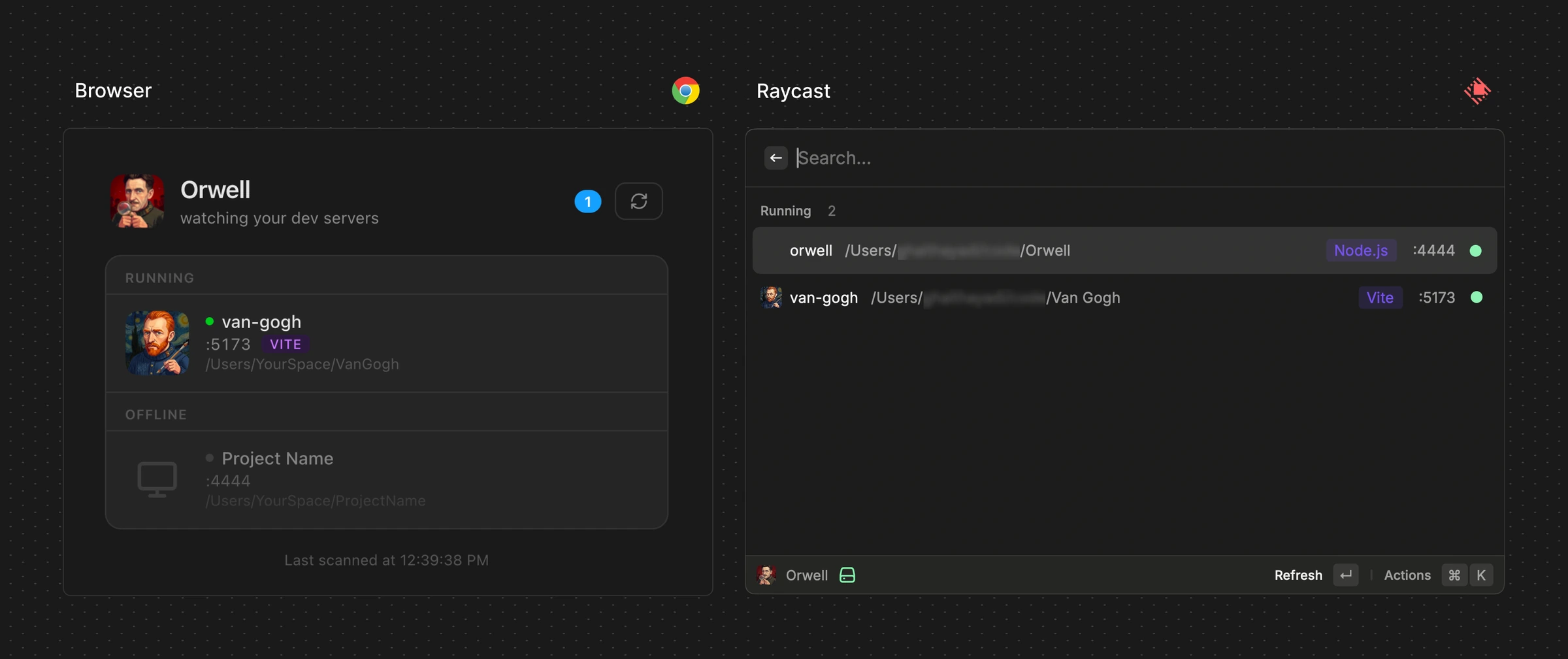
Orwell is the fix. It watches every dev server on my Mac, shows what's up and what's down with each project's own favicon, and lets me stop, restart or start any of them with one click. It lives in Raycast, with a count in the menu bar, and there's a browser version for anyone who doesn't use Raycast. The first version shipped on 9 April 2026, built with Claude Code.
1. Two faces, one core
Orwell has two interfaces and one brain. The core is a small library that uses nothing but Node's built-ins: it runs a few system commands, reads a few files and keeps a small registry. The Raycast extension and the browser page are thin wrappers over that same logic, so they always agree about what is running.
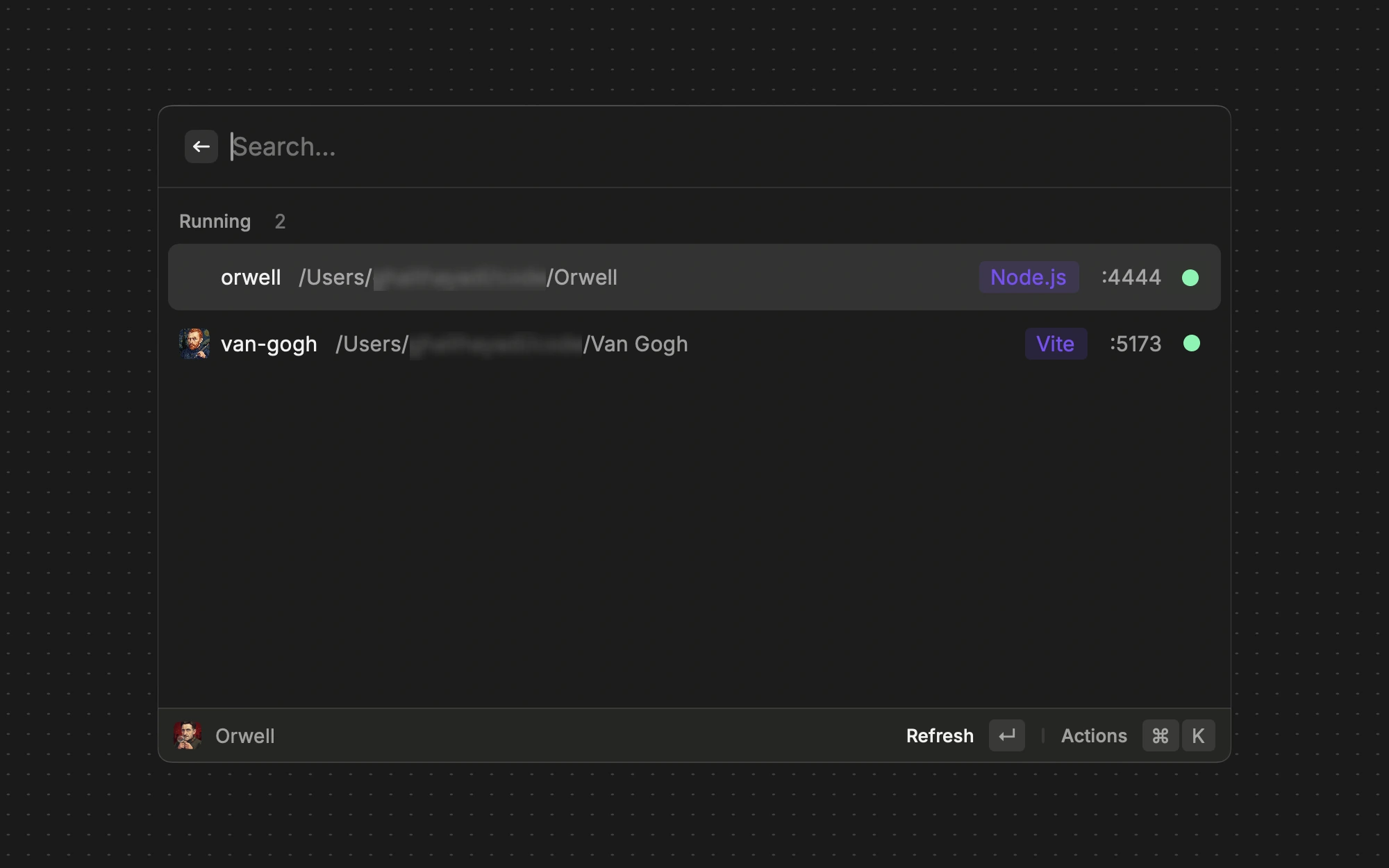
Raycast is the one I use. A menu bar icon carries the number of running servers, and a list command, one search away, shows each server with its favicon, its framework, its port and a green dot. Enter refreshes, Shift Enter stops the selected server, Cmd O opens it in the browser.
2. How it finds your servers
There is no setup. Every ten seconds Orwell asks macOS which processes are listening on a port, keeps the ones that are Node, Bun or Deno, and drops the duplicates a server makes when it listens on both IPv4 and IPv6. For each one it finds the folder the process runs in, walks up to the nearest package.json, and reads the project's name. The framework comes from the dependencies, Next.js, Vite, Nuxt, Astro, Remix and the rest, with the command line as a second opinion.
The favicon matters more than it sounds. A list of process names is a list of words; a list of favicons is a list of projects you recognise at a glance. Orwell checks the usual places in the project first, public/, app/, static/, and only asks the running server for its favicon when it can't find one on disk.
3. Offline is a state, not an absence
Most process monitors forget a server the moment it stops. Orwell doesn't. Every server it has ever seen goes into a small registry in ~/.orwell, with its folder and the command that started it. When a server stops, it stays in the list, greyed out under Offline, one click from running again.
Finding the right command to start it again took some care. Orwell reads the process's command line and matches it against the scripts in package.json, so a project comes back with the script it was really started with, not a guessed npm run dev.
4. It never runs a command it doesn't recognise
A tool that starts processes on your machine from a file on disk is a tool that can be talked into running anything. So Orwell only ever runs one shape of command: a package manager, the word run and a script name, npm, yarn, pnpm or bun run something. Anything else in the registry, by accident or on purpose, falls back to npm run dev. Raw shell never reaches the terminal.
5. Designing around the menu bar
The first plan was a menu bar dropdown with large favicons. macOS doesn't allow it: the system sets the icon size in a menu bar menu, about 18 points, and no extension can change that. So Orwell has two commands. The menu bar keeps what fits there, the count and quick actions, and the full list view gets the bigger icons, the paths and the framework tags.
6. Every project, not just the running ones
In May Orwell learned to show more than what's running. Point it at a folder, like the one your projects live in, and it lists every project inside that has a package.json, marks the ones it has launched before, with their last port and framework, and starts any of them with one click. It stops at 500 projects, so a huge folder can't slow it down.
7. Getting it ready for the Store
In September I prepared the extension for the Raycast Store: macOS only, every command described in a full sentence, a store screenshot, Raycast's own lint rules, and the safe-command check applied to restarting as well as starting. Until then it's free, and the code is public on GitHub.
Orwell is small, about 1,600 lines of TypeScript, and it is the tool I'd least like to give up. It is also the clearest example of how I build now: I describe what I need as precisely as I can, Claude Code writes it, and I spend my time on the parts that are design problems, like what a server looks like when it's off.