

Rembrandt
Pixel perfect slides, in Claude, before it was supported
A Claude skill that turns any deck, document or paragraph into an Axoniq presentation: one HTML file that presents itself, edits in place, animates and comes in three sizes.
Why
Claude could write a deck long before it could see one, and a model left alone with a slide makes it a bit smaller until nothing matches. So the design lives in a kit, and scripts decide if the model used it right.
The model never designs
It selects a template, fills it and composes. The kit holds the design.
One idea per slide
37 templates, picked by what the slide is trying to say.
Measured, not trusted
A gate in a headless browser fails any text that is off-style.
HTML, not PowerPoint
One file that presents, edits in place and animates, in three sizes.
How it’s built
- Ships as
- A Claude plugin for Cowork
- Output
- One HTML file; PowerPoint on request
- Sizes
- Compact, Regular and Stage (in progress)
- Example
- McKinsey's USPS deck: 39 pages in, 21 slides out, in about five minutes
- Tags
- Claude skill, HTML, CSS, Python
The full story
A McKinsey deck in, an Axoniq deck out, in five minutes
This is an example, nothing more. I gave Rembrandt a public McKinsey deck, "USPS Future Business Model" from March 2010: a 39 page PDF of charts, tables and footnotes. About five minutes later it handed back 21 slides on the Axoniq master, in the Axoniq brand, every piece of text on one of the master's styles and every slide checked by a script. I didn't lay out a single one of them.
Rembrandt is a Claude skill. Claude could write a deck long before it could see one, and a model left alone with a slide makes it "a bit smaller" until nothing matches. So I built the parts Claude was missing: a master deck that holds all the design, rules about what the model may and may not touch, and checks that measure the result in a real browser instead of trusting it.
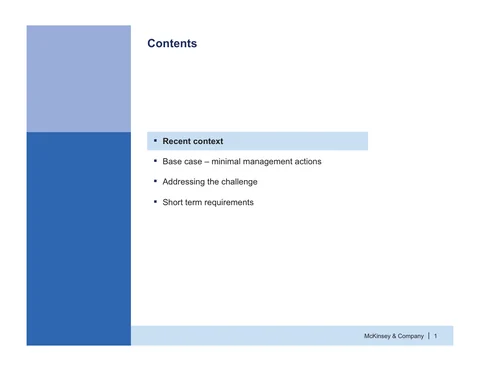
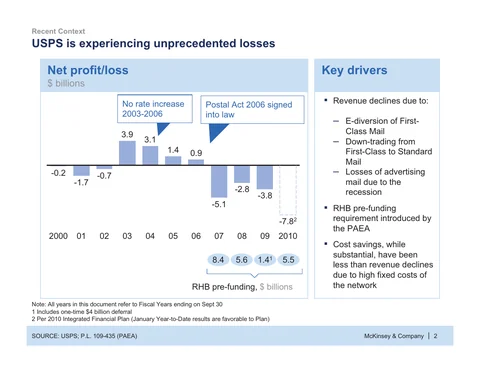
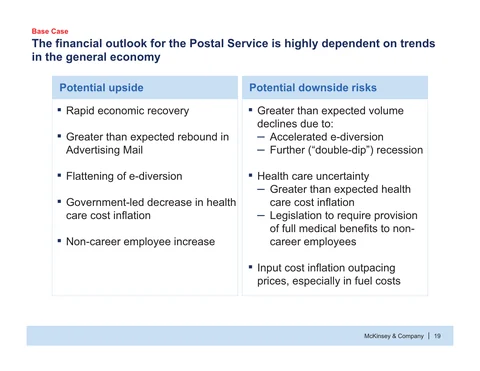
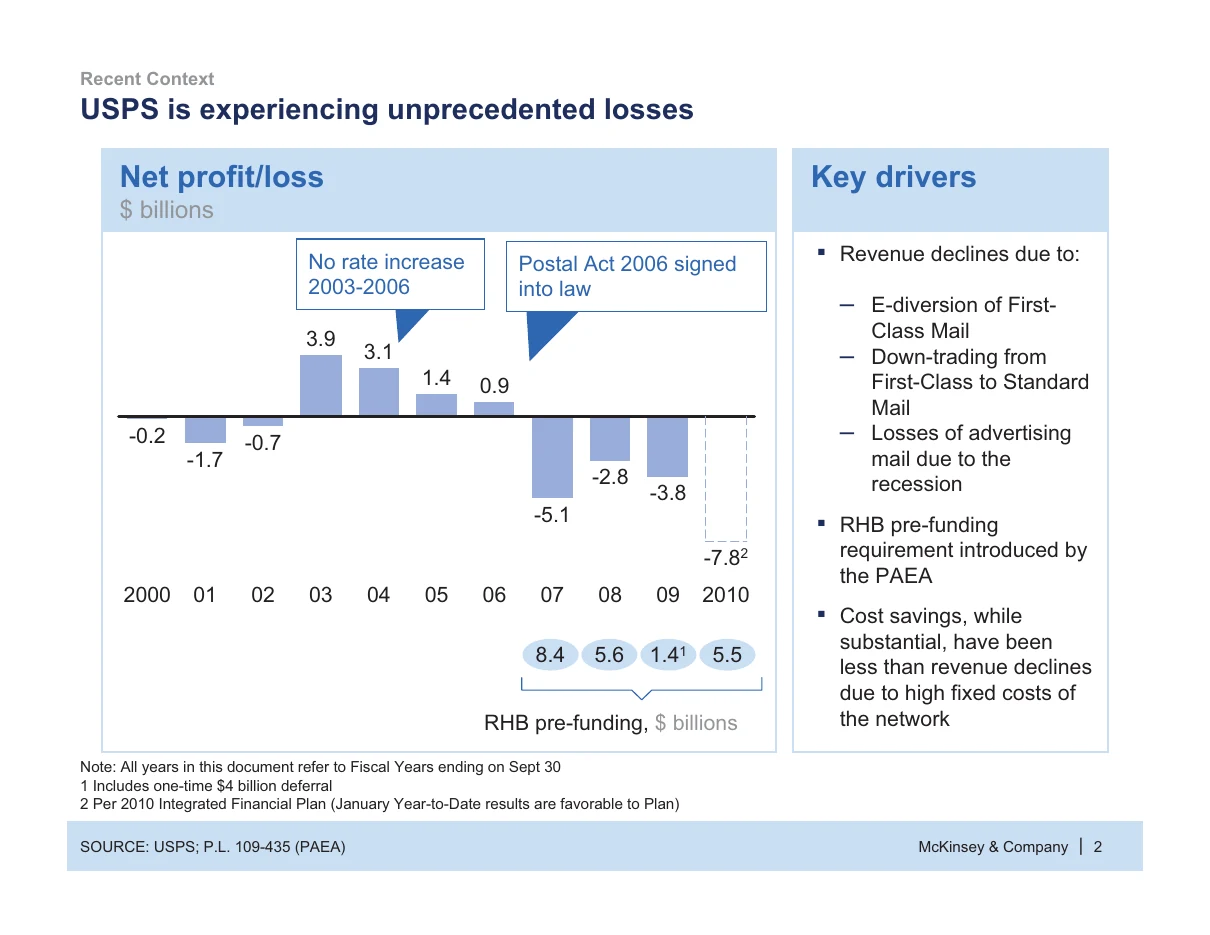
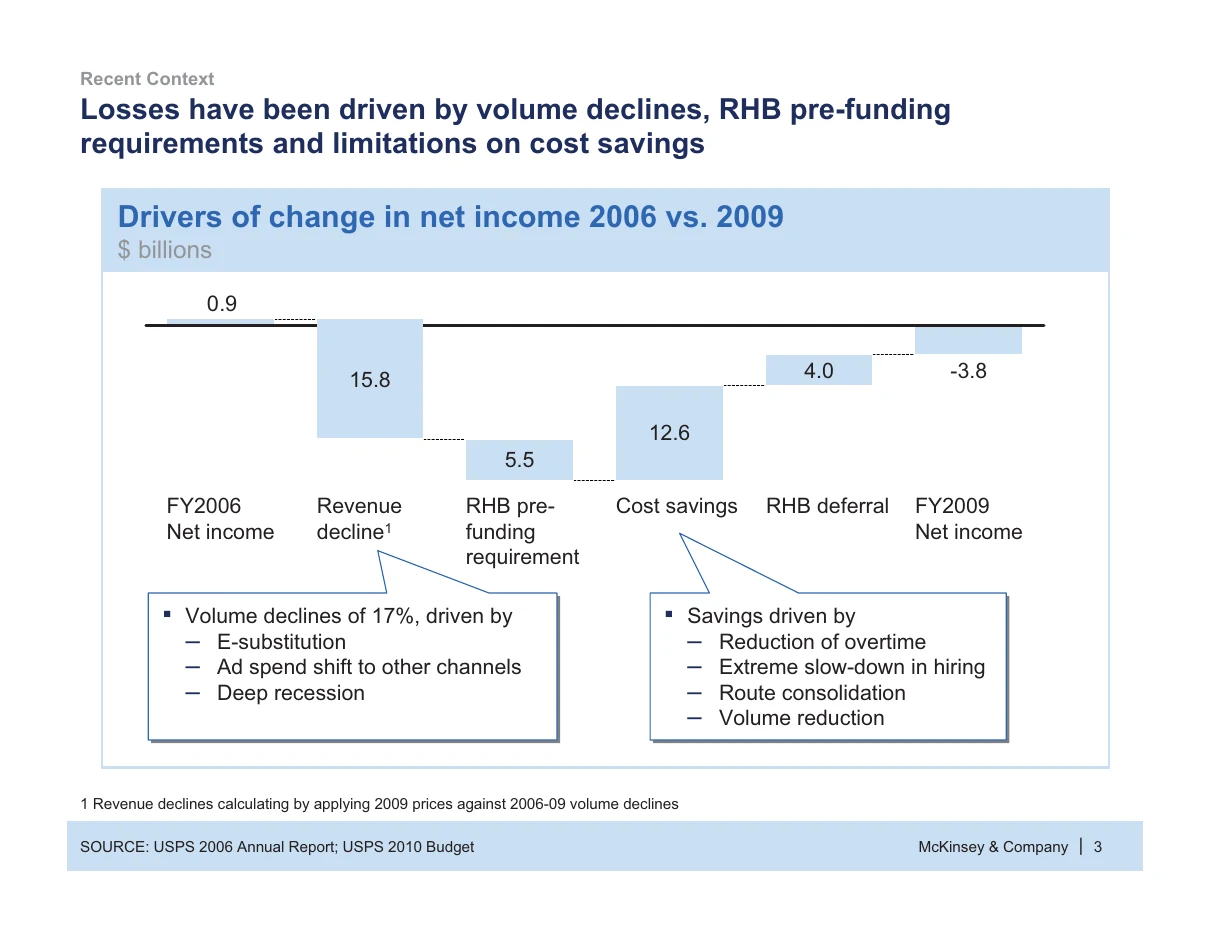
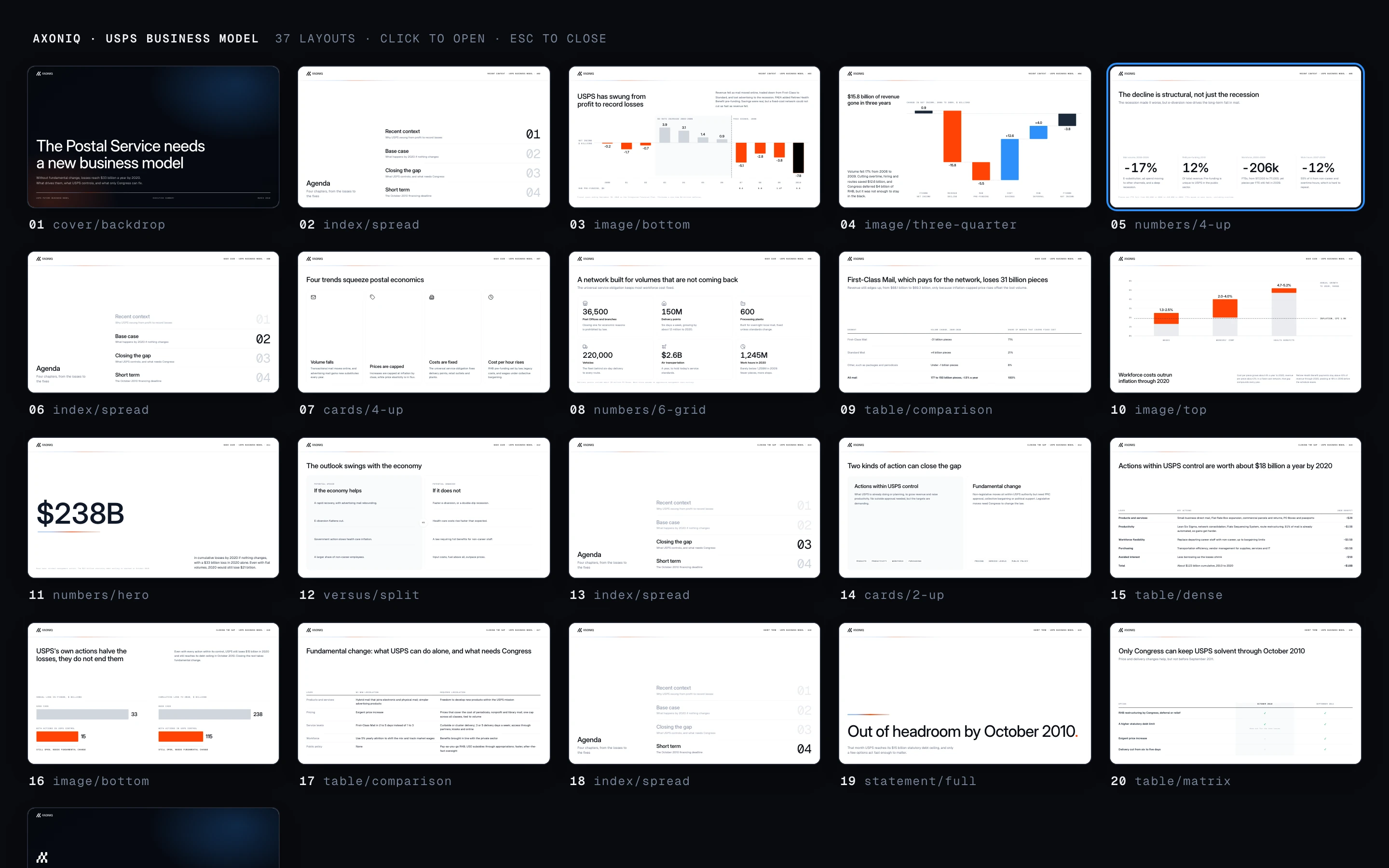
As McKinsey published it PDF · 20 of 39 pages
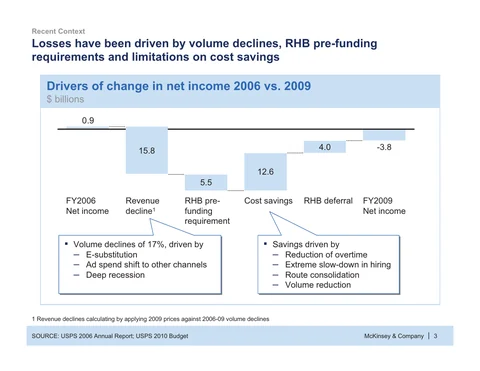
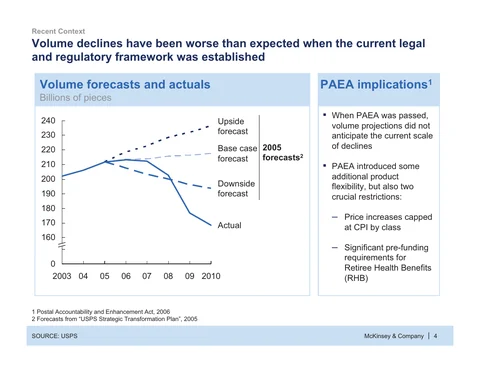
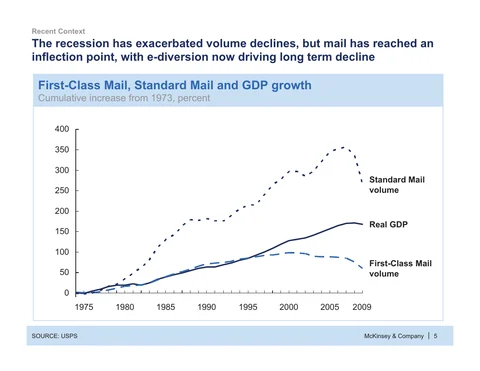
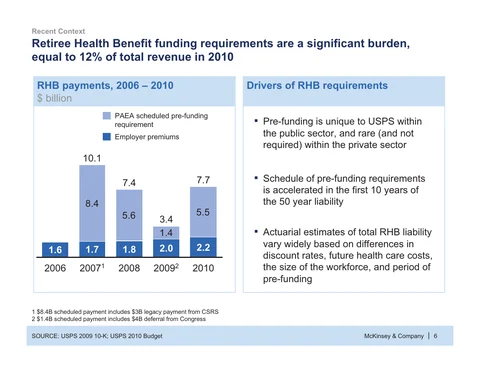
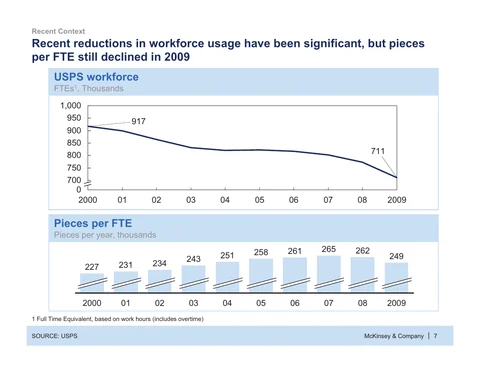
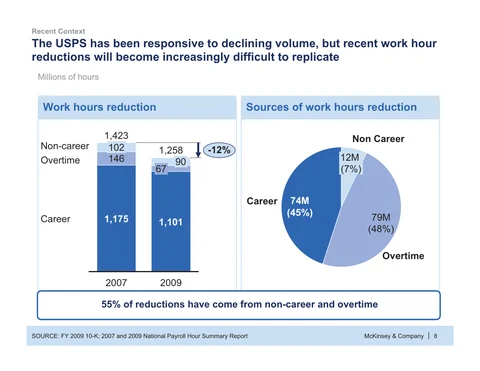
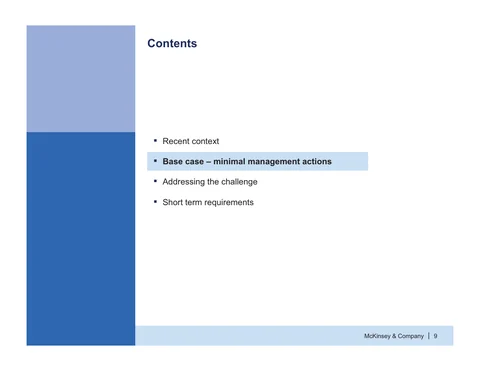
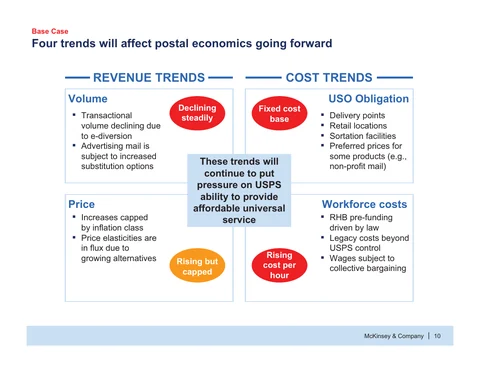
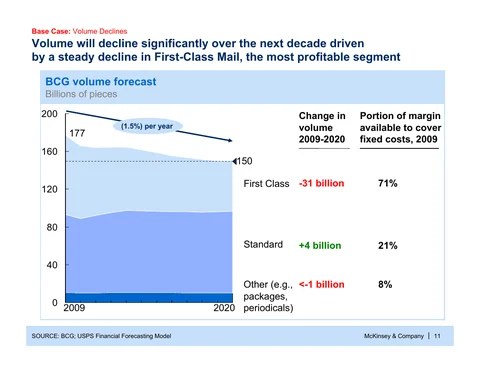
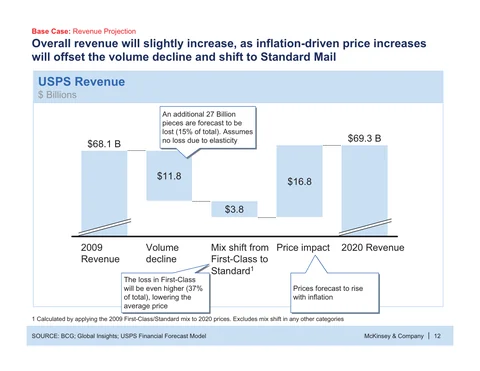
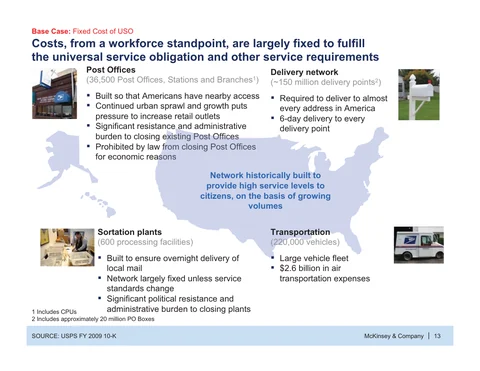
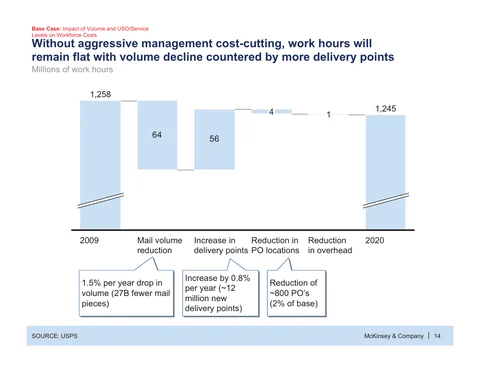
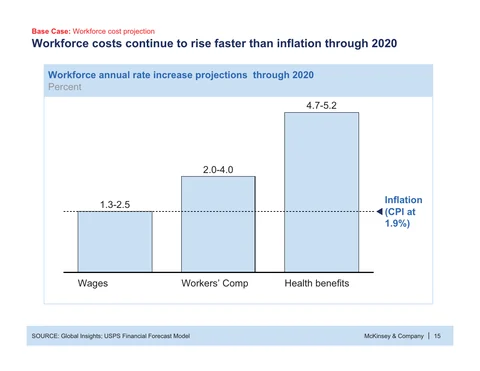
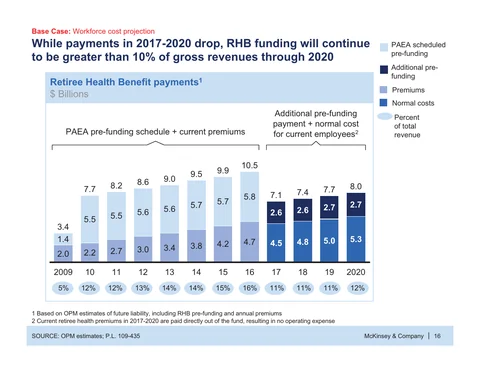
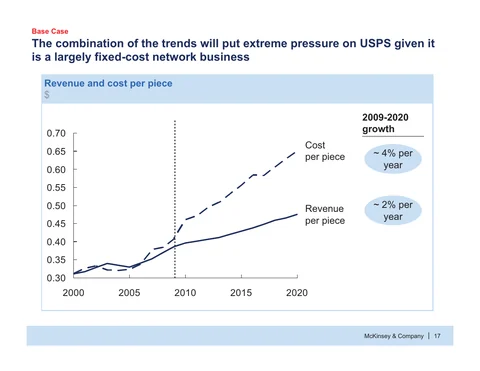
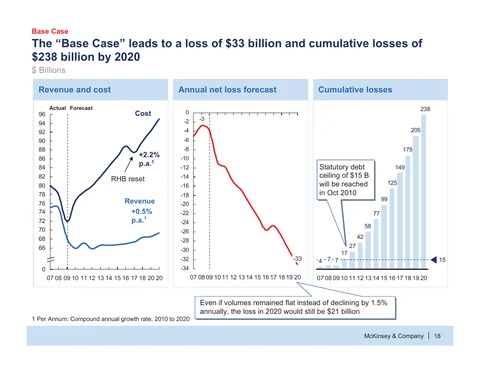
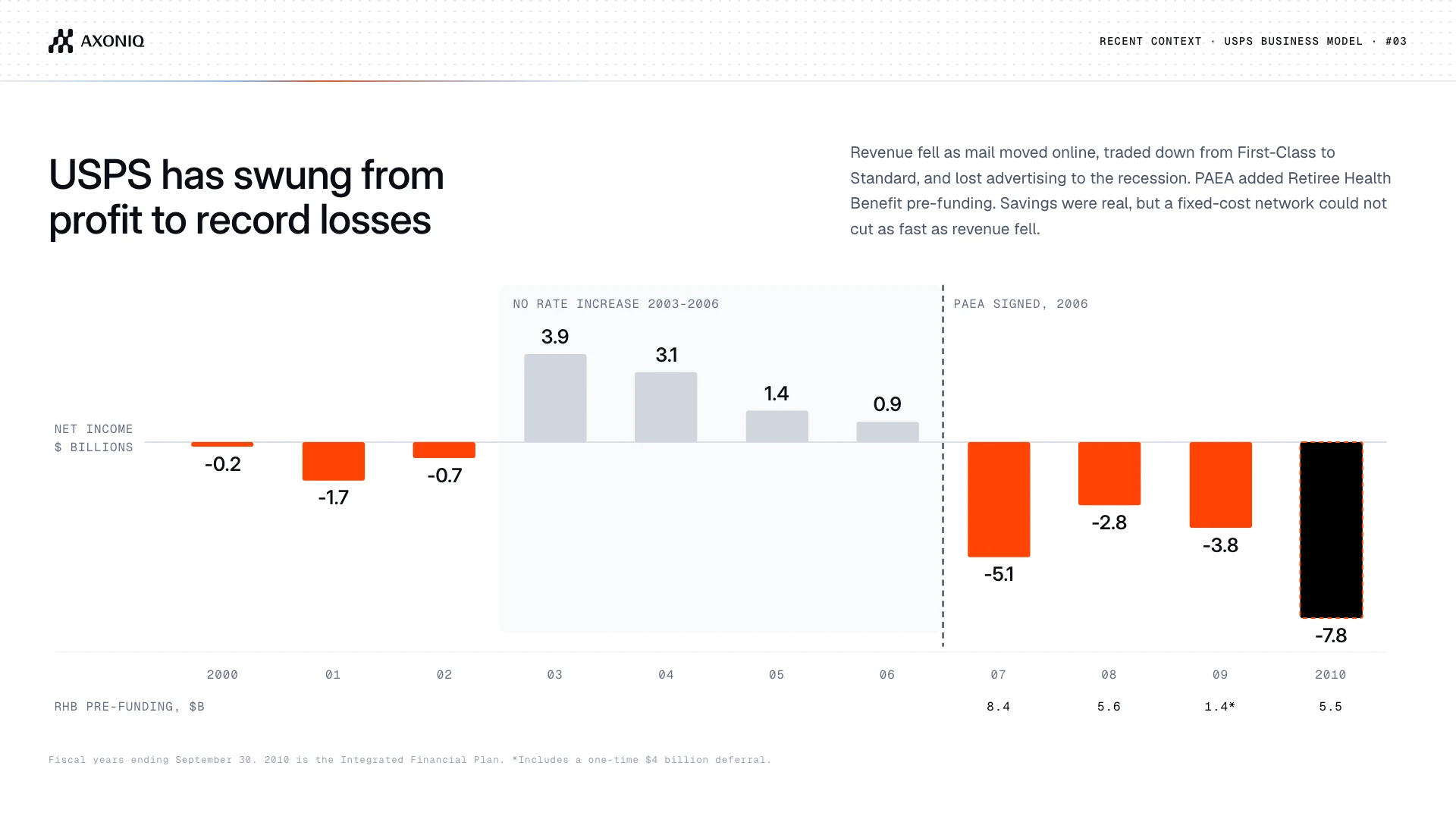
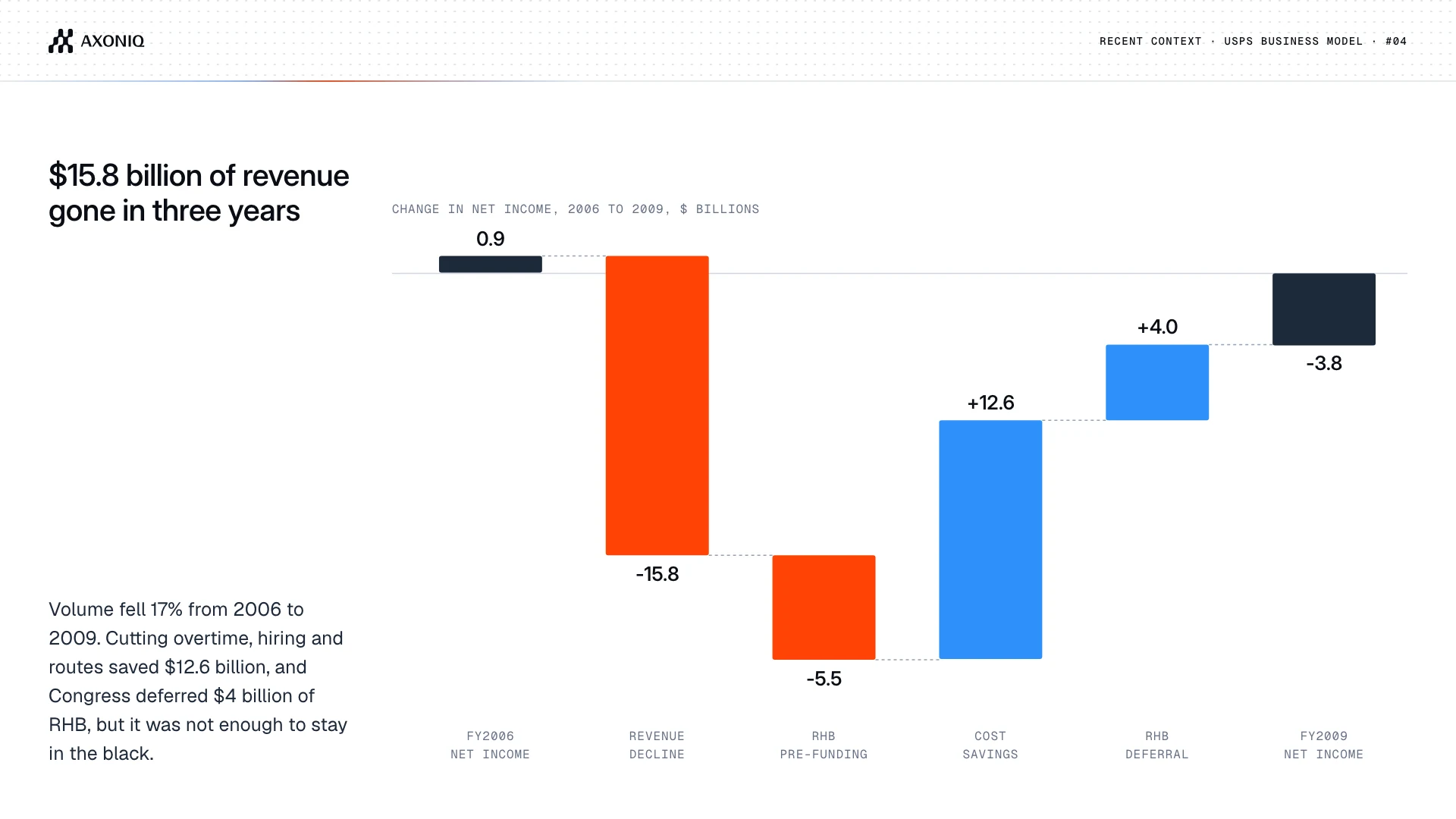
As Rembrandt delivered it HTML · 20 of 21 slides

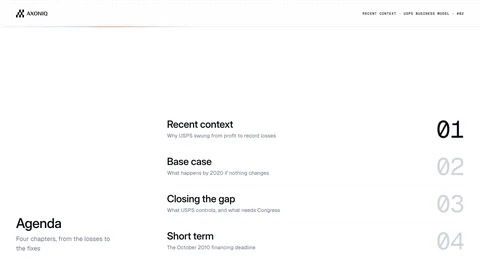
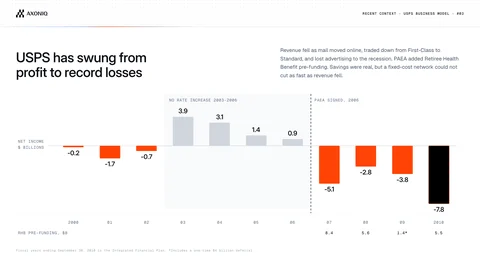
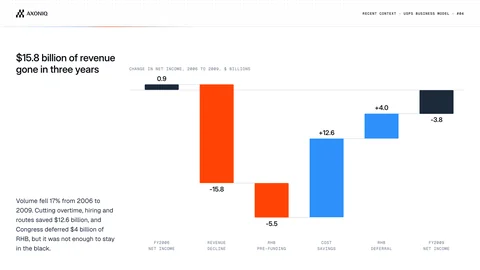
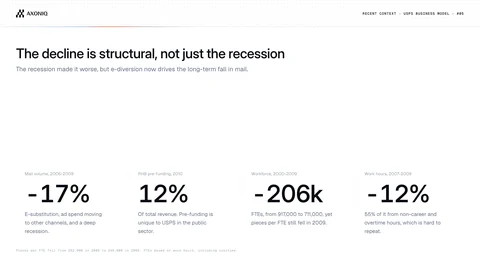
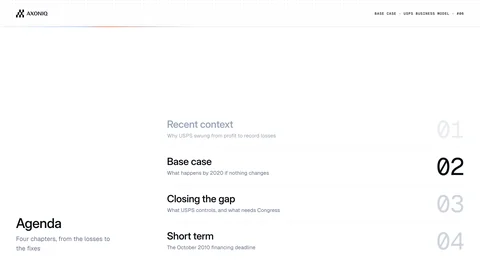
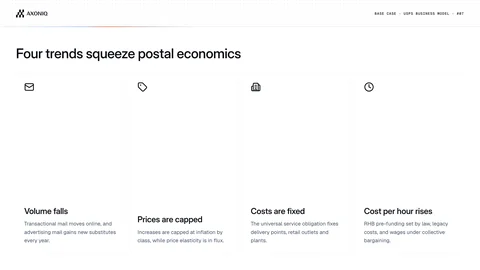
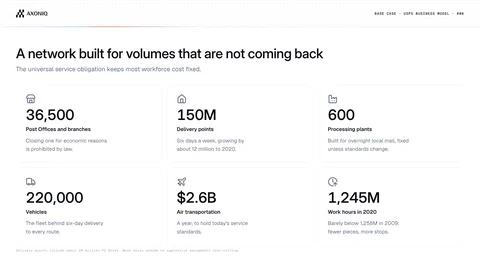
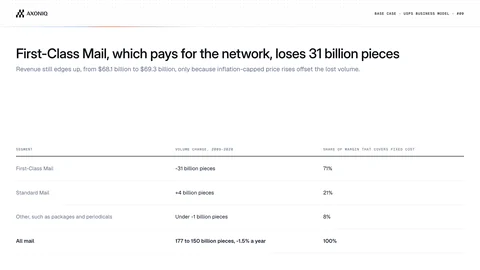
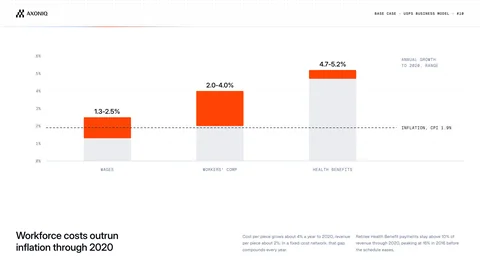
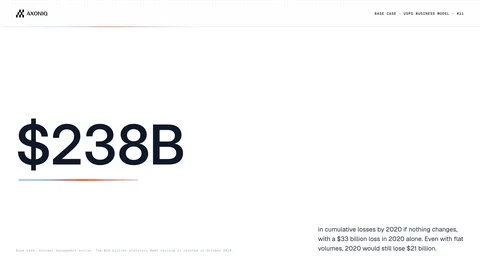
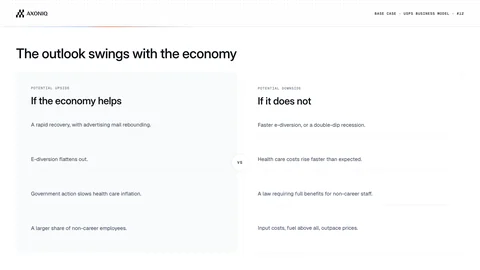
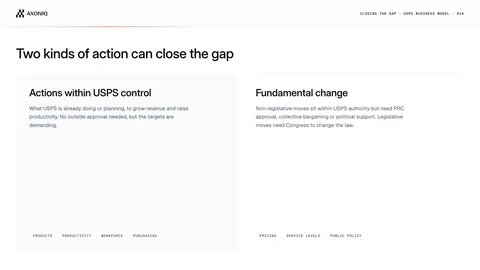
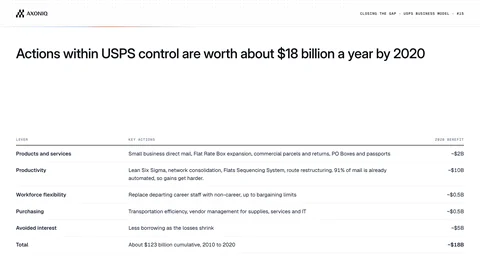
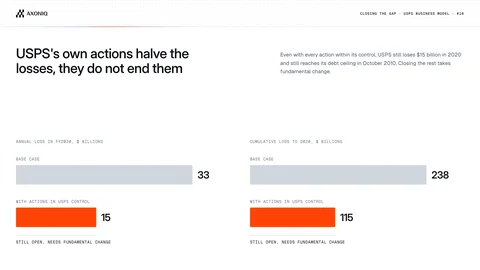
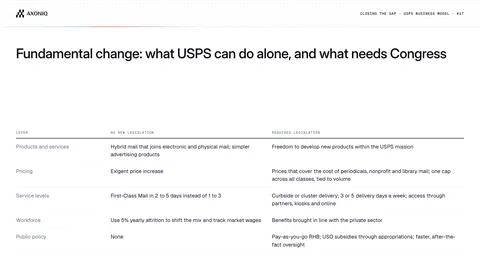
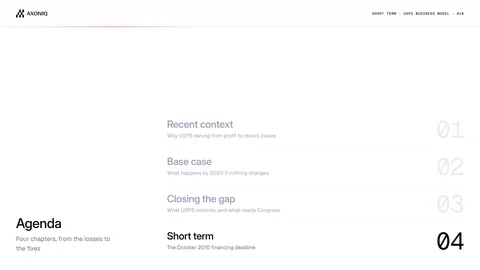
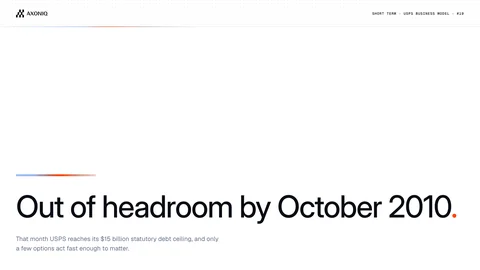
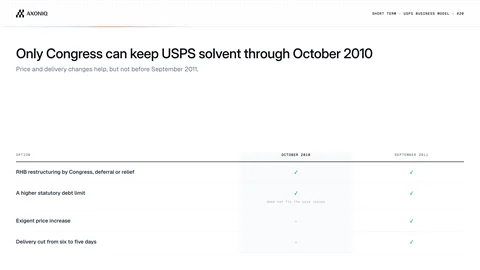

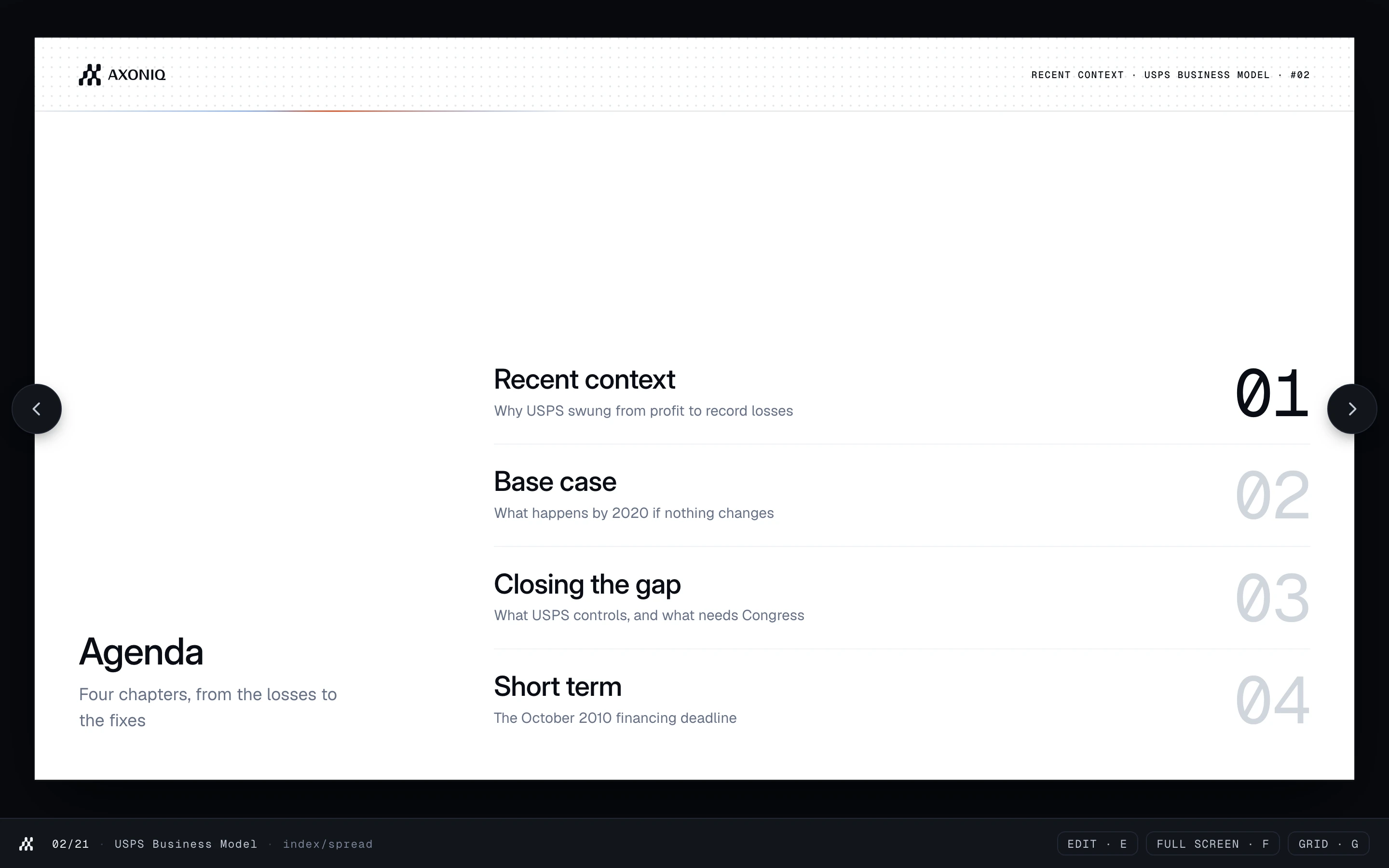
The words are McKinsey's and the numbers are theirs. Everything else came from the master: the type, the grid, the colors, how a chart is drawn. The four contents pages became four chapter indexes. A page that carried a chart and a paragraph of reading became a chart slide with one sentence beside it.
1. The output is HTML
Rembrandt used to end in PowerPoint, because that is where decks go. Version 2.0 even proved its export against Google Slides to within 0.05 px. It doesn't need to anymore. The deck is one HTML file, and HTML does everything a presentation needs and a few things PowerPoint can't.
It presents itself. Open the file in any browser and the slides sit in their own viewer: arrow keys to move, F for full screen, G for a grid of every slide. The slide is drawn at 1920 by 1080 and scaled to whatever screen it lands on, so it looks the same on a laptop, a projector or a phone.
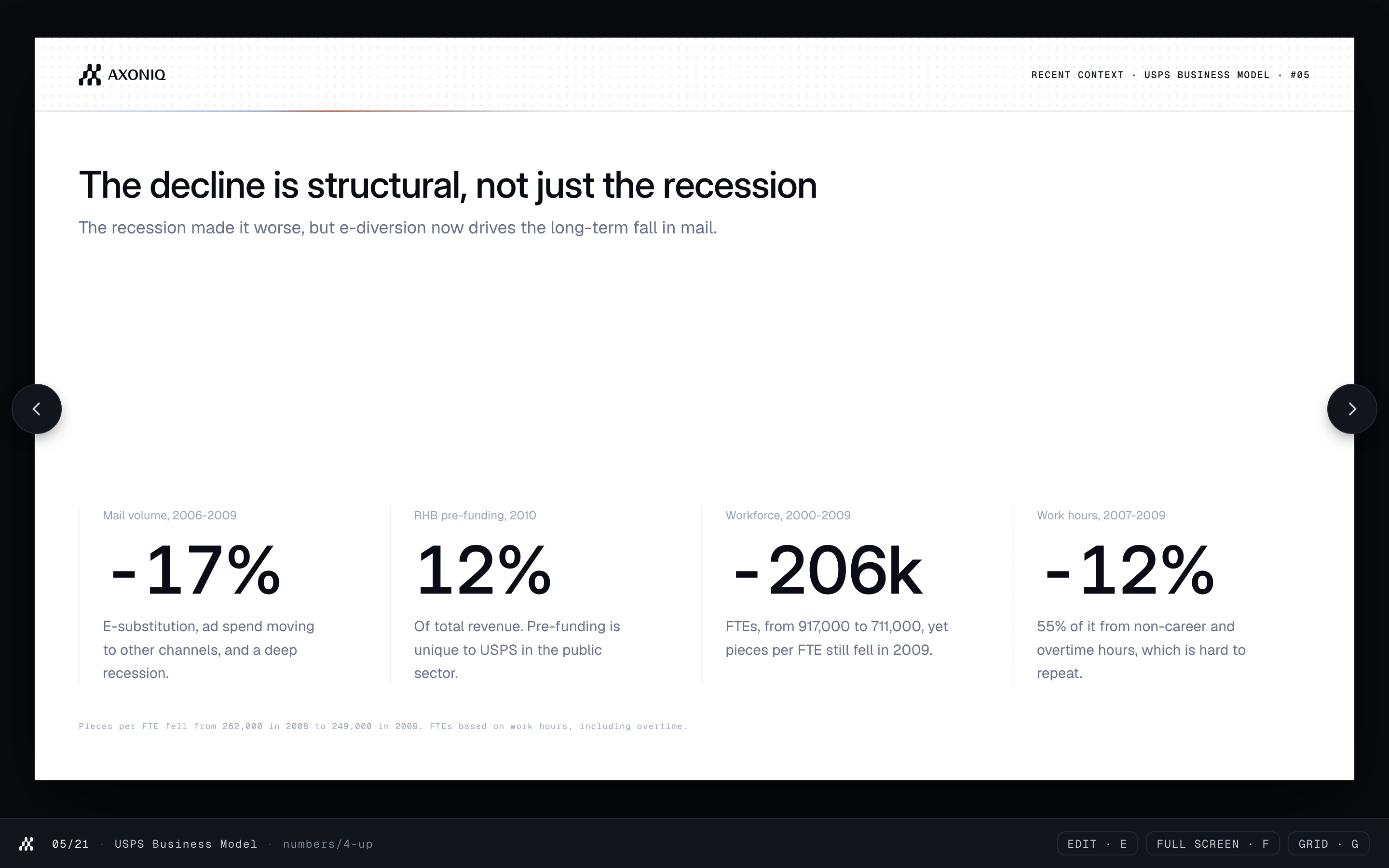
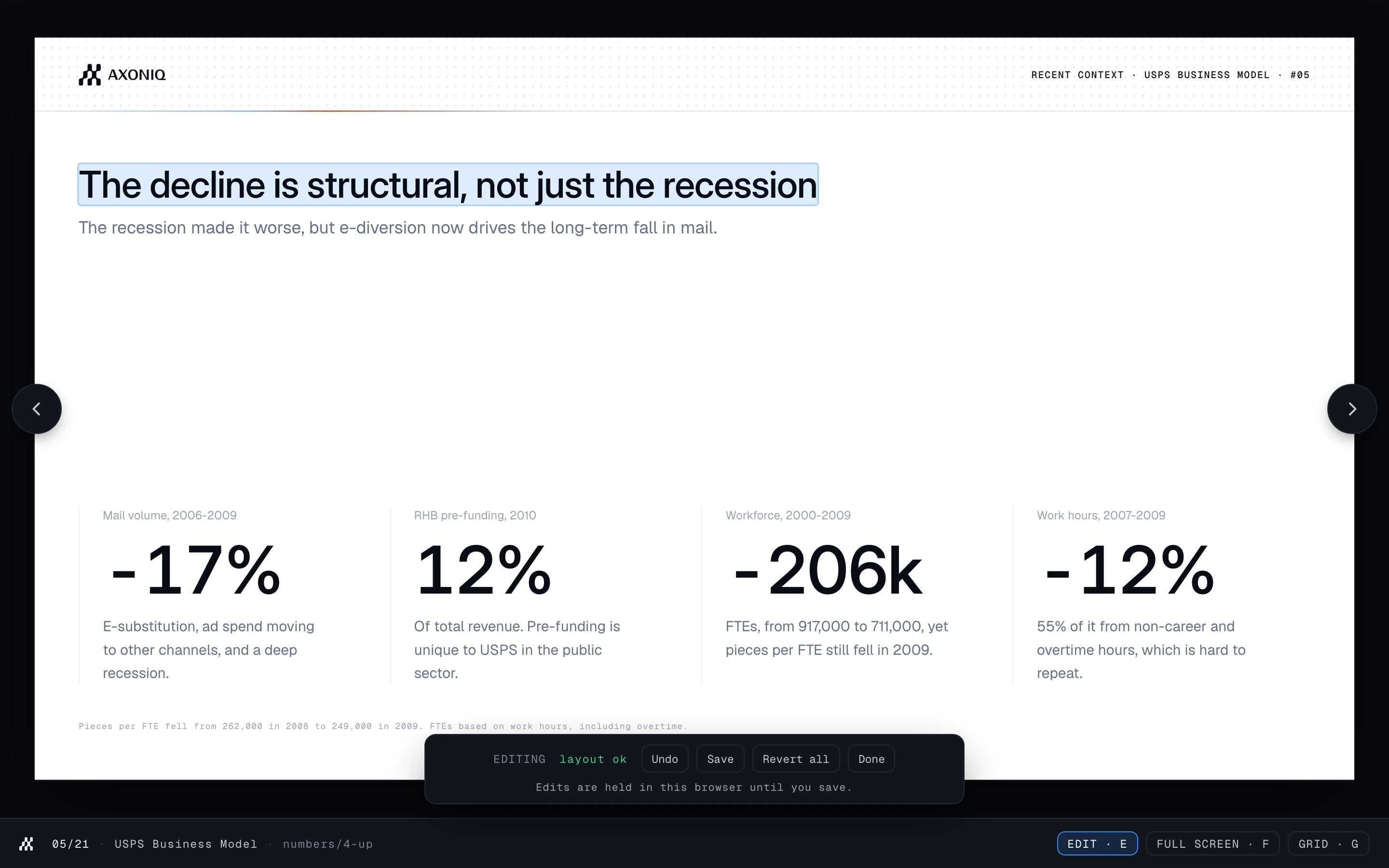
It edits in place. Press E and the text becomes editable on the slide itself. A layout check runs while you type and says when a change breaks the slide. Save writes the file back in Chrome and Edge and downloads a copy anywhere else, so a typo never means going back to Claude.
And it moves. A chart can draw itself, a number can land after the sentence that sets it up. Below are two of the USPS slides with a build added: the title arrives, then the bars grow from the axis, the losses hanging below it, then the labels. It is one block of CSS, and the deck stays a single file.
2. Three sizes
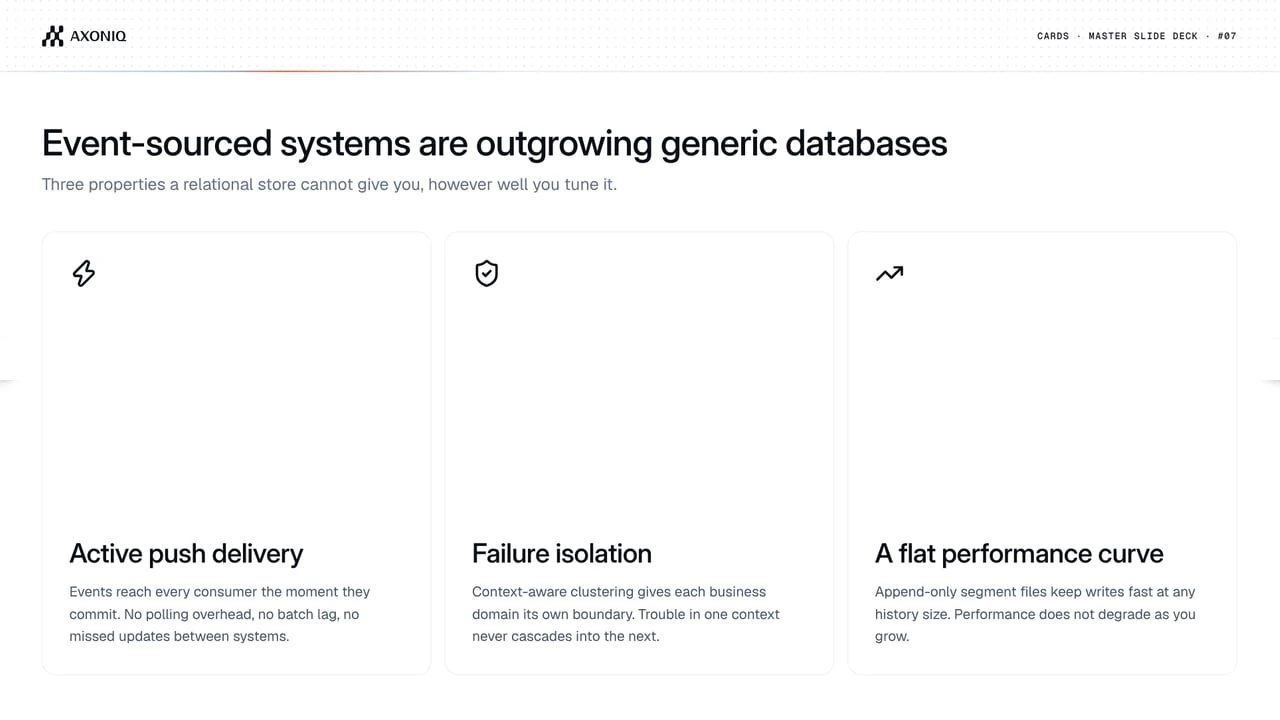
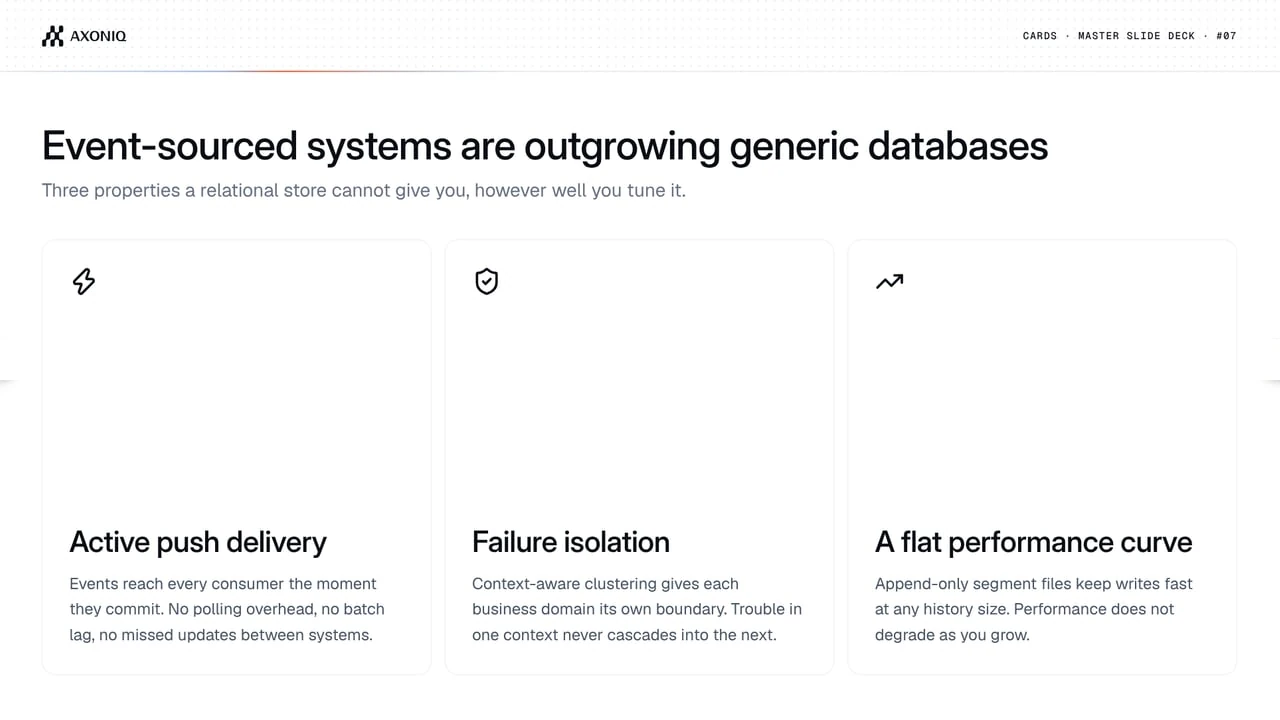
The newest work, still on a branch, is size. A deck read on a laptop and a deck projected behind a speaker are not the same deck, so every one of the 37 layouts now comes in three sizes, each with its own type scale and its own gate.
| Size | Body | Title | Made for |
|---|---|---|---|
| Compact | 21 px | 54 px | Decks people read on their own screen |
| Regular | 24 px | 60 px | Meeting rooms and screen shares |
| Stage | 36 px | 92 px | A projector and a room full of people |
Stage is not the same slide made bigger. It holds less, so layouts change shape: four numbers in a row become a two by two grid so each figure gets its width, cards drop to one short line, a dense table holds six rows and carries the rest to the next slide.



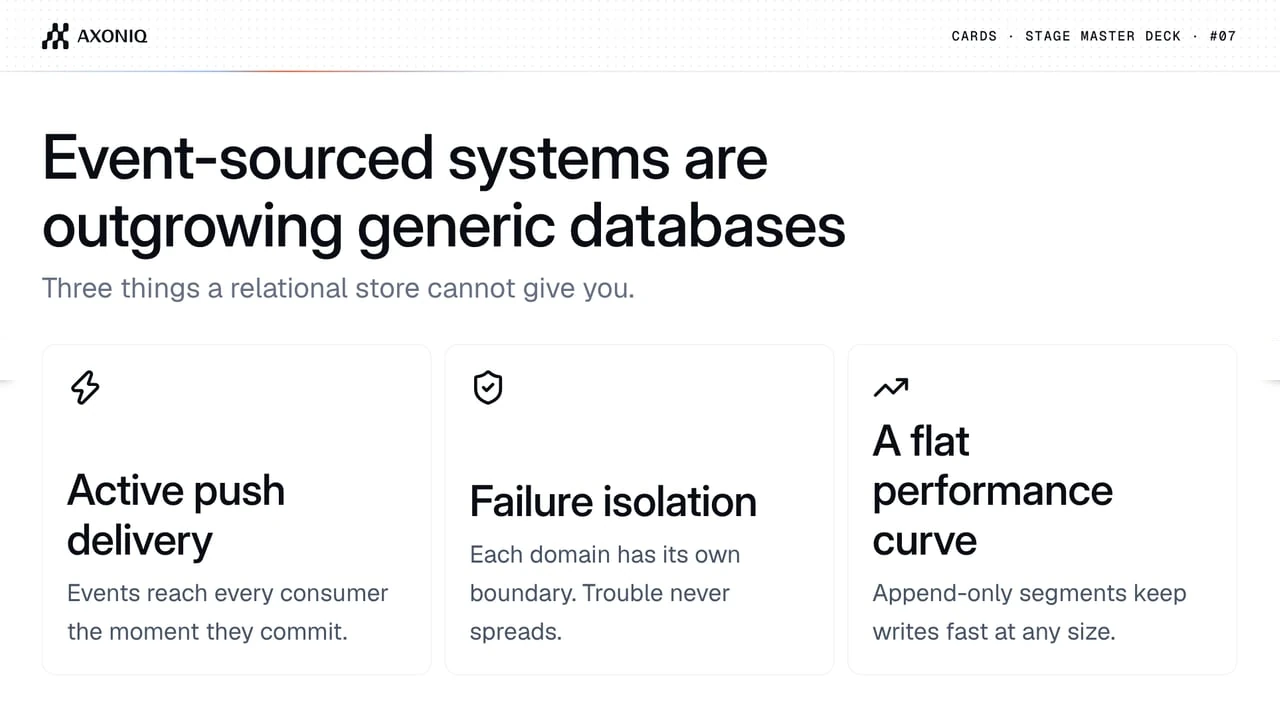
3. How it works
Rembrandt runs in eleven steps, always in the same order. The model makes editorial decisions: what each slide is trying to say, and which words go where. Everything visual is already decided in the kit. Two steps are plain Python, because some jobs should never be left to a model's memory, and one step is a gate the deck can't get past until it prints PASS.
- Ingest extracts the text slide by slide and reads one low-resolution contact sheet of the whole source. Text is the content of record; pictures are only for what the text leaves ambiguous.
- Fidelity asks once how much may change: Verbatim, high fidelity or liberal.
- Questionnaire collects every missing date, name and figure in one pass. Rembrandt never invents one silently.
- Outline maps every point to a template. Fill writes to that template's budget.
- Assemble copies the shell out of the master with three lines of Python. The model is not allowed to retype it.
- Compose puts the title at the top and anchors the content to the bottom edge, with deliberate air between them.
- Adjust for fit only runs when a composed slide still overflows. At Verbatim, rewriting is off the table, so fit comes from the template alone.
- Cohere is the gate, then a reading pass against the source. Deliver hands over the HTML, named after the version of the rules that made it. A PowerPoint is still there for anyone who asks.
4. One idea per slide, and how much fits
The master has 37 templates: covers, chapter indexes, cards, numbers, images, tables, plans, roadmaps, teams, statements, quotes, versus, diagrams, logos and a closing slide. The model picks by what the slide is trying to say, not by what the content looks like.
| The slide is trying to say | Family | The variant depends on |
|---|---|---|
| Here are N points of equal weight | cards | 2, 3, 4 or 6 |
| Here are the numbers | numbers | one hero, 4, 6 or 9 |
| Here is a picture and a little context | image | the shape of the image |
| Here is one idea that must land | statement, quote or a hero number | |
| Here are two things set against each other | versus | |
| Here is how the pieces connect | diagram |
The same template can mean different things. A timeline can be a plan, a user journey or an adoption path. A versus can be before and after, or open source and commercial. So every template in the catalog carries what it is for, what it is not for, and worked examples. Cards are never used for a sequence, and a table with two columns is a versus.
Then the budget. Every template has a word budget for its size, and the size decides it, not the model's taste. Selection picks the template; the budget can only veto it. When a composed slide still overflows, the order is fixed: tighter words, a denser variant, a bigger template, then a split, and every one of those is listed in the report.
The USPS deck used 16 of the 37 templates. Chapter indexes carried McKinsey's agenda, image layouts carried the charts, tables carried the comparisons, and one statement carried the line the whole deck builds to: out of headroom by October 2010.
5. Pixel perfect, measured
The rule I care about most is the hard one: every piece of text on every slide is exactly one of the master's text styles, matched on family, size and weight. There is no "a bit smaller". A model can't keep that promise by remembering it, so a script checks it.
The gate opens the finished deck in a headless browser and runs five checks: the shell was copied from the master and not rebuilt, every text node is on a style, every accent is the right color step, nothing collides or leaves the frame or leaves a dead band at the bottom, and the house rules hold, down to no em dashes and Axoniq spelled right. It fails closed. Rembrandt is not allowed to look at screenshots of its own output, so it can't talk itself into "looks fine". Either the measurements pass or the deck isn't done.
6. Where it runs
Rembrandt ships as a Claude plugin for Cowork, from its own marketplace, and updates itself. It needs Cowork because the checks need a real browser. Every deck carries the version of the rules that made it in its filename, so any slide anyone at Axoniq presents can be traced back to the rules it was checked against.
It grew out of Dex, my headless presentation tool, where a slide is a template with a form and the design is never up for discussion. Rembrandt is the same idea with Claude filling the form.